
Sale-purchase and stock management for your shop
Record every sale and every purchase in one place, receive stock from suppliers and keep supplier balances up to date.
- Sales and purchases in one system
- Receive stock against supplier purchases
- Supplier purchases and payments ledger
- Products added and edited by permission
- Reports as PDF or CSV
Why sale and purchase belong together
Most shops keep a sales register and a separate purchase register — or none at all. When they don't agree, nobody knows the real stock or how much is owed to suppliers. Sale purchase software puts both sides in one place.
Supplier purchases and payments
Each supplier has a ledger with purchases and payments, so the balance you owe is always visible. Recording supplier purchases and payments is a permission you can give to a Manager or Data Operator.
Stock in and stock out
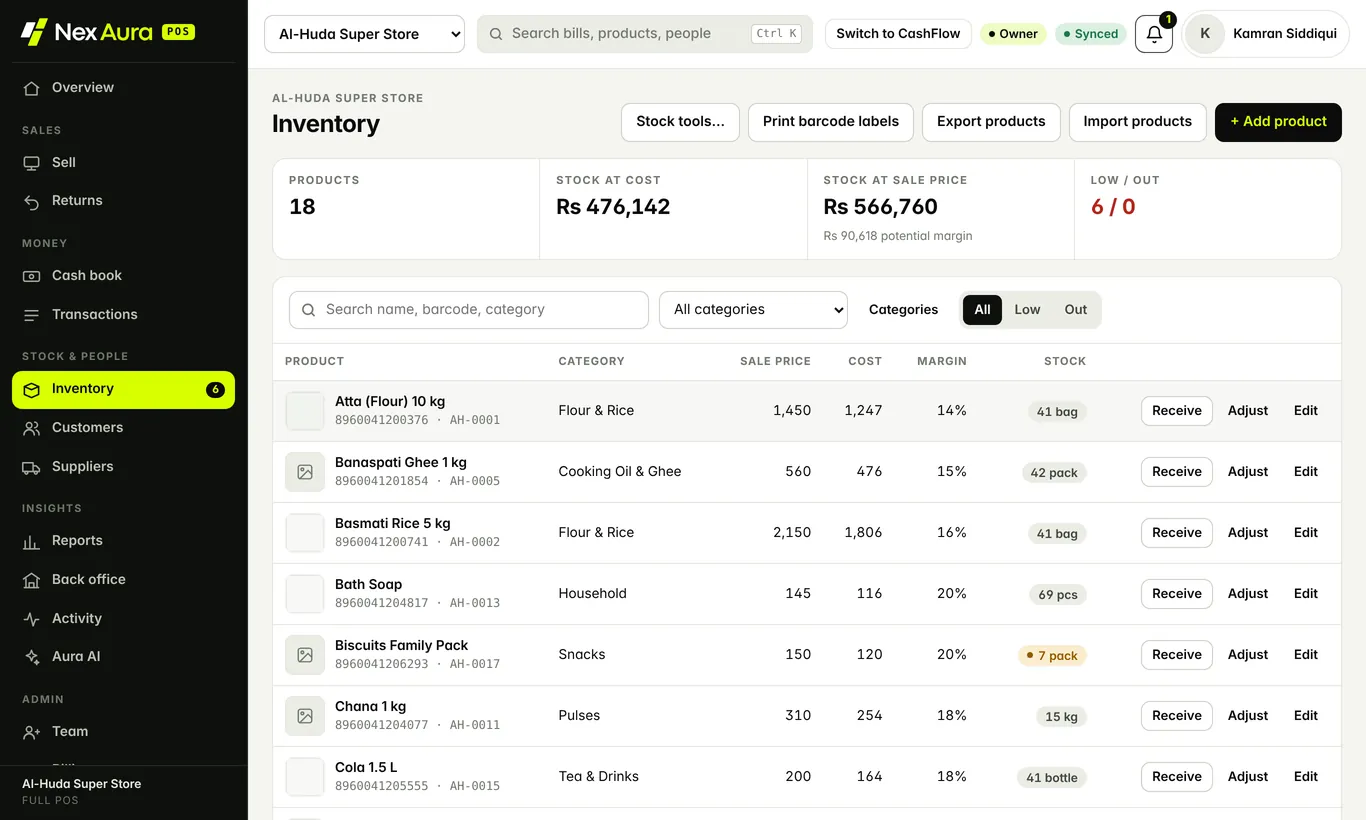
In Full POS mode, products are added once and stock changes when you sell and when you receive stock from a supplier. Adding or editing products and receiving stock are separate permissions from deleting products.
Know what is running low
Items that fall low are flagged so you can reorder before a customer is turned away.
Returns
Sales returns and refunds are recorded against the original bill, and stock comes back automatically.
Excel or software?
Many shops start with an Excel sheet. It works for a few dozen items, but formulas break, two people can't edit at once and there is no history of who changed what. NexAura's activity log records every change. Our free guide stock management in Excel vs an app explains when to switch.
More stock tools
- Reorder suggestions list low and fast-selling products, and a purchase order can be made from them and received later.
- Stock adjustments with a reason — damaged, lost, expired, found or correction — with the cost value of the change.
- Stock count — scan items as you count; the difference from the system is shown and posted in one go.
- Transfers between your own businesses: stock leaves one and arrives in the other, logged in both.
- Batches and expiry dates — items expiring soon show in the alerts, and the oldest expiry is sold first.
- Purchase returns to suppliers, and barcode label printing for items without a barcode.
- Import and export products with an Excel file.
Related
Frequently asked questions
What is sale purchase software?
It is software that records what you sell and what you buy, so stock and supplier balances stay correct. In Pakistan the term is used for simple shop software that replaces the sales and purchase registers.
Can staff add products?
Only if you allow it. Adding or editing products and receiving stock are permissions, and deleting products is a separate permission.
Does it show what I owe each supplier?
Yes. Supplier purchases and payments are kept in each supplier's ledger.
Can I see low stock?
NexAura POS shows items that are running low so you can reorder in time.
Run your shop on NexAura POS
Start a 14-day free trial — no payment needed. Set up your business, add products or import them from Excel, and make your first bill today.